AniTuner

AniTuner
License:
Free
Language:
English
Developer:
OS:
Win98/98SE/Me/2000/NT/XP
Added:
See detailed info

Softonic review

“Create, edit and convert Windows animated cursors”

Animated cursors are animated mouse pointers that can replace the default arrow cursor in Microsoft Windows. Such animated cursor files are given the .ani extension and are recognized by Windows and any application that handles cursors. You can get more information about the animated cursor format here.


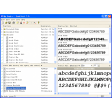
AniTuner makes the creation and edition of these animated cursors easy: everyone can create his/her own animated cursors in a snap. You can use animated cursors not only to customize the appearance of Windows (desktop themes) but also to produce animations for your Web pages, e-mails, documents, manuals or even applications...


Features:


  • Open and display any animated cursor

  • Convert animated GIF and AVI into animated cursors (ANI)

  • Import existing image files (BMP, GIF, PNG, PSD, ICO, CUR...) to turn them into cursors or animated cursors

  • Export frames from your animated cursors to several image formats

  • Modify existing animated cursors and change their color depth or size

  • Convert animated cursors into animated GIF, AVI, static bitmaps or even Macromedia Flash SWF movies

  • Edit frames, change their duration, modify them in your favorite image editor and save changes back to the animated cursor

  • AniTuner handles all cursor sizes (not only 32x32) & color depths (from 1bpp to 32bpp)

  • Special support for 32-bit cursors with a 8-bit alpha channel (partial transparency for Windows 2000/XP)

  • Turn your old 16 or 256-color animated cursors into 32-bit animated cursors with a semi-transparent shadow for Windows XP

  • Export (and import) animated cursors as a series of PNG files (with alpha channel optionally) for easy editing

  • Create animated GIFs, small Flash movies using the Frame editor and the Import/Export functions

  • Browse for animated cursors on your computer and easily preview them

Free Download AniTuner 1.1

AniTuner is virus free

We have analyzed the latest version of AniTuner with 30 antivirus engines and it is virus free. See analysis results.

TESTED VIRUS FREE - Softonic GUARANTEED

Review and rate AniTuner

Your avatar

Your opinion is important.
Help other users - be the first to review this program.

Review
  1. Maximum: 75 characters

  2. See example

Pros and Cons
Rate
  1. What rating would you give AniTuner?

    You need to fill in all fields

    • Usability:

      Not rated
    • Stability:

      Not rated
    • Installation:

      Not rated
    • Functionality:

      Not rated
    • Appearance:

      Not rated
    • Overall rating:

      Not rated
  2. Don't worry, we won't make your email address public.

You're not allowed to share serial numbers, cracks, etc. or link to pages that contain them. If you do, your user account will be deleted, your IP address logged and legal action will be taken.

Get started - just ask a question!

Write a title for your question.

Alternativesto AniTuner

  • In English:
    CursorXP
    CursorXP

    Use CursorXP to customize your Windows XP cursors

    Softonic rating:
    • 8/10
    User rating:
    • 9/10
  • I'm feeling lucky!:
    RealWorld Cursor Editor
    RealWorld Cursor Editor

    Make cursors from 3D models or from vector images

    Softonic rating:
    • 8/10
    User rating:
    • 7/10
Compare with AniTuner
Download rank: Utilities

5 of 5

Softonic rating:
  • Very good
  • 8/10
User rating: (2 ratings)
  • Good
  • 8/10
Your rating:
Your rating
  • 0

Review and rate this program

Top Downloads: Utilities

  • United States
  • Global

  1. Use CursorXP to customize your Windows XP cursors

Reviews of AniTuner in other languages